
How to Play Find the Moles
Find the Moles gives you a square field, a few wooden signs and a set number of hidden moles. You win a level by digging up every mole. This page covers the rules, the controls on every device, the buttons under the board and the settings menu.
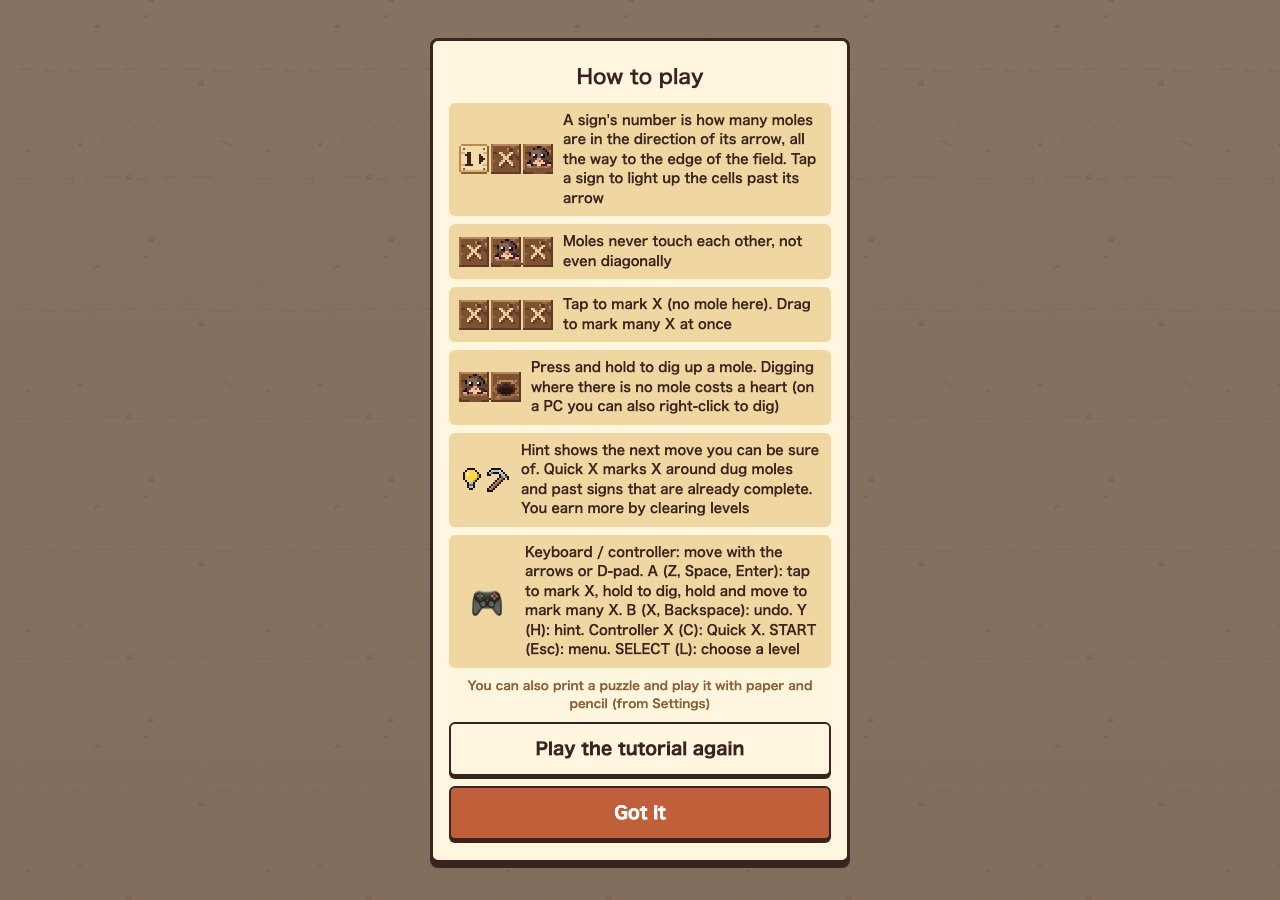
The Three Rules
- Signs count in one direction. A sign's number is how many moles are in the direction of its arrow, all the way to the edge of the field. Signs are never moles themselves, and the count passes straight over other signs.
- Moles never touch. Not side by side, not diagonally. Once you dig a mole, the 8 cells around it are guaranteed empty.
- Wrong digs cost hearts. You have 3 hearts per level. Digging a cell with no mole costs one. At zero hearts you see "Out of hearts…" and the same field starts again.
Tap any sign to light up the cells past its arrow. It's the easiest way to see exactly which cells a number covers. When a sign has all its moles, it turns grey, so you can stop thinking about it.
Controls
| Action | Touch / mouse | Keyboard | Controller |
|---|---|---|---|
| Move cursor | — | Arrow keys | D-pad |
| Mark X (no mole) | Tap | Z, Space or Enter (tap) | A (tap) |
| Mark many X | Drag | Hold Z/Space/Enter and move | Hold A and move |
| Dig | Press and hold (PC: right-click) | Hold Z, Space or Enter | Hold A |
| Undo | Undo button | X or Backspace | B |
| Hint | Hint button | H | Y |
| Quick X | Quick X button | C | X |
| Menu | ← button | Esc | START |
| Choose a level | ▼ next to the level number | L | SELECT |
The Buttons Under the Board
- Left — how many moles are still hidden. Level 1 starts at 4.
- Undo — takes back your last move. Use it freely after a stray X.
- Restart — clears the field and starts the level again.
- Hint — shows the next move you can be sure of. You start with 3.
- Quick X — marks X around every dug mole and past every sign that is already complete. You start with 3.
A level cleared with no mistakes gives one more Hint and one more Quick X. In my run, a flawless clear of levels 1–3 took both counters from 3 to 6. Saving them for the larger fields is worth it, because that is where a single Hint saves the most time.
Reading the Top Bar
The top bar shows the level number and its difficulty (Easy, Normal, Hard or Fiendish), your remaining hearts and a timer. The i button reopens the rules and the gear opens Settings.
Settings
| Setting | What it does |
|---|---|
| Language | Switch between 日本語 and English |
| Larger text | Bigger explanations and tips; the board stays the same size |
| Sound volume / Mute | Sound effect volume |
| Vibration | Vibrates when you dig, miss, complete a sign or clear (phone, or controller) |
| Reduce motion | Turns off screen shake and similar effects |
| Show cells around moles | Dots the 8 cells around each dug mole, since no mole can be there |
I recommend turning on Show cells around moles while you learn Find the Moles. It shows the no-touching rule on the board for you.
Paper and Pencil Mode
Any board can be printed on A4 and solved with a pencil. Use the print option in Settings, or Print this day on the Daily Puzzle screen.
Next Steps
Ready to play? Start with the level 1–3 solutions if you want to check your reasoning, then read Find the Moles tips and strategy before the 7×7 fields.